 PathFerry
Enable the Finder menu
Apple does not turn the PathFerry Finder extension on when you install. Until the switch is on, right-click has no PathFerry. Open PathFerry — the setup window polls live; the green check appears as soon as Finder loads the extension. Usually you do not need to relaunch Finder.
macOS 26
Tahoe · File Providers, not Finder
System Settings → General → Login Items & Extensions. Scroll to Extensions.
- Pick By App (path: General → Login Items → Extensions → By App).
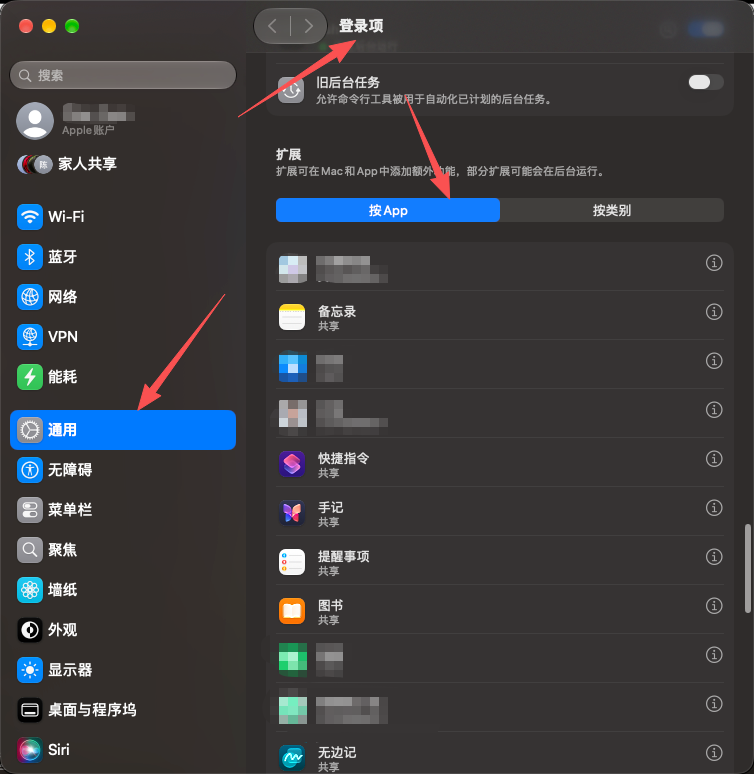
- Find PathFerry — subtitle reads File Providers — and click the ⓘ on that row.
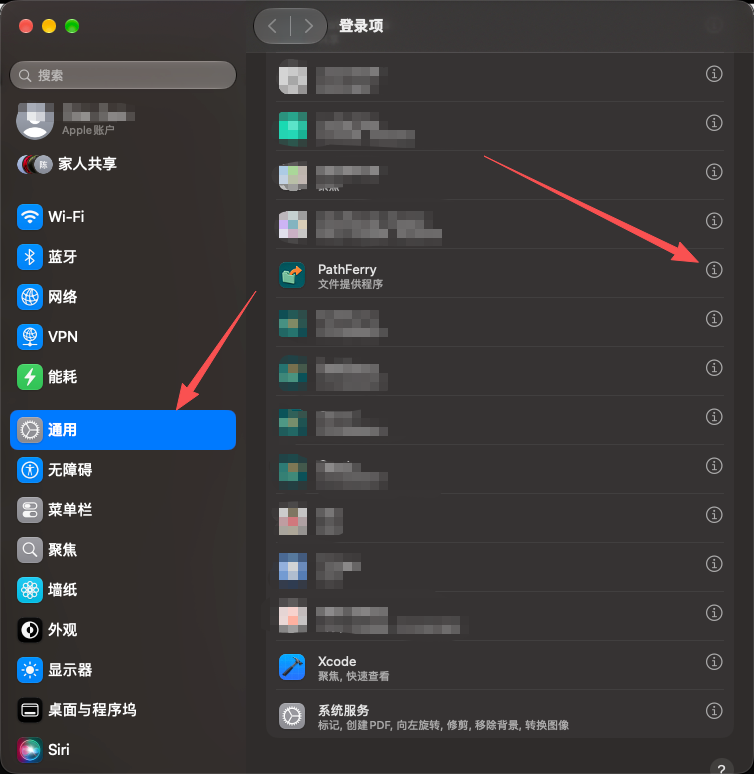
- Turn on File Providers in the panel. The switch is only in this panel, never on the list row.
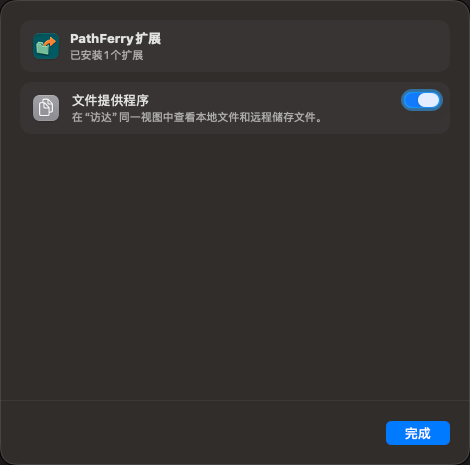
Under By Category it sits in File Providers — not under Finder.
macOS 15
Sequoia · Finder Extensions
System Settings → General → Login Items & Extensions. Scroll past Login Items and Background Apps. Open Extensions → Finder Extensions and turn on PathFerry.
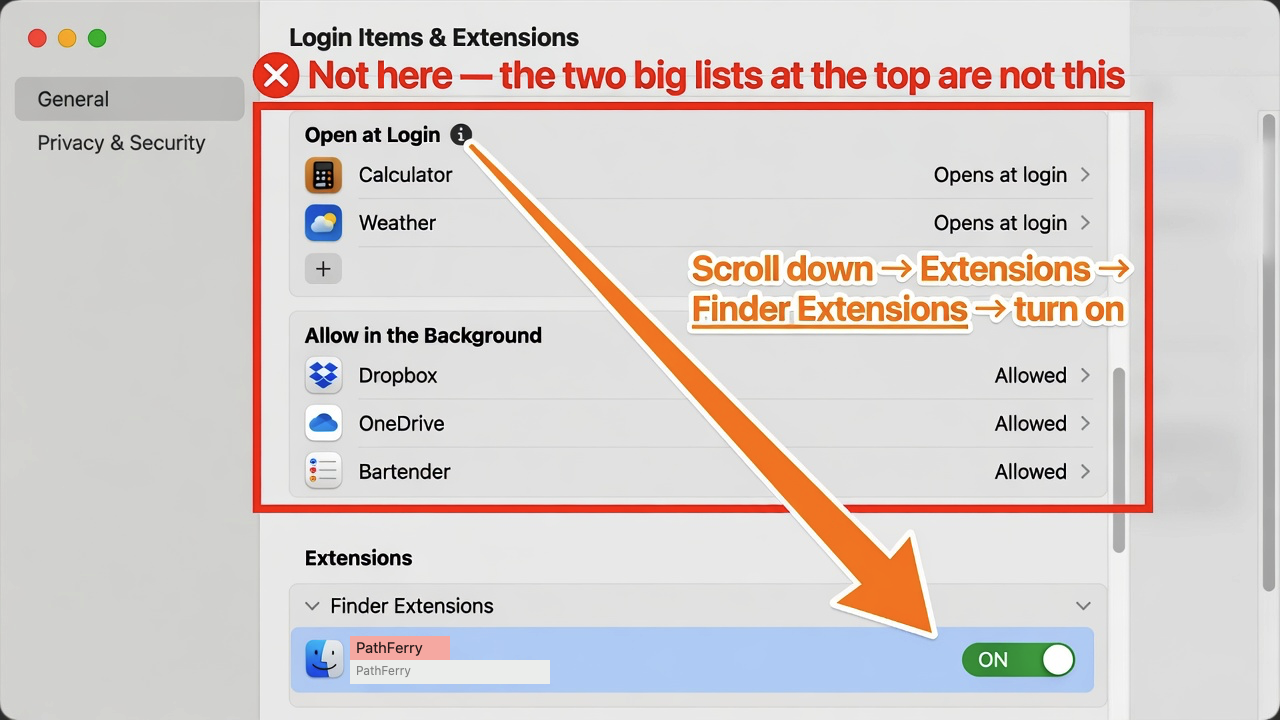
macOS 15.0–15.1 hid the Finder Extensions list. Update to 15.2 or later if the toggle is missing.
macOS 14
Sonoma
System Settings → Privacy & Security → Extensions → Finder Extensions. Turn on PathFerry.
Switch on, still no menu
After an overwrite install Finder sometimes keeps a stale copy of the appex. Option-click the Finder icon in the Dock → Relaunch. Then right-click a file again.